Enforced by the system
A hook in every Claude Code and Codex session holds the command. It doesn't depend on the model's judgment, and it fails closed: if the board is down, gated calls are denied.
Open source · MIT · macOS · New in 1.0: Guardrails →
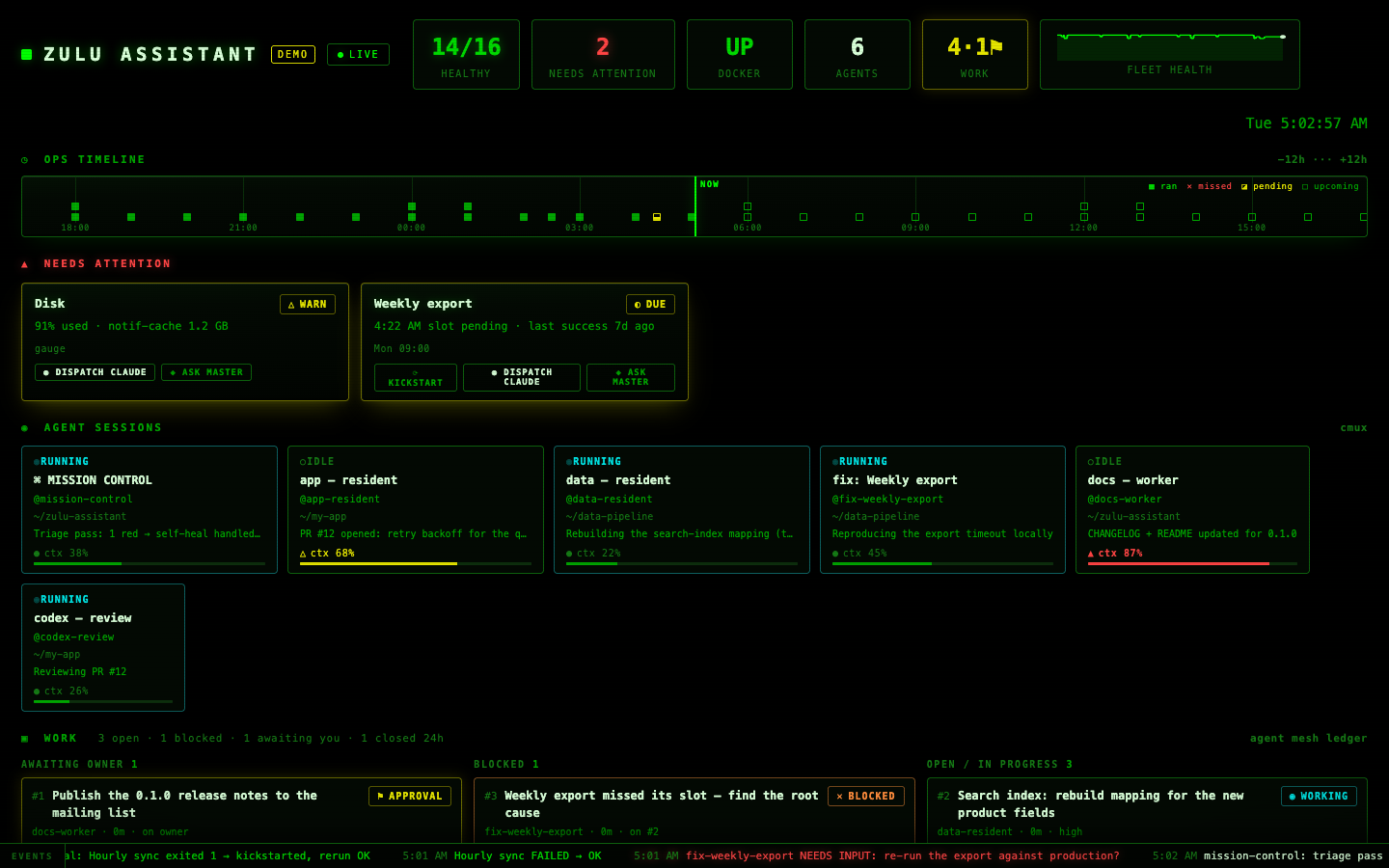
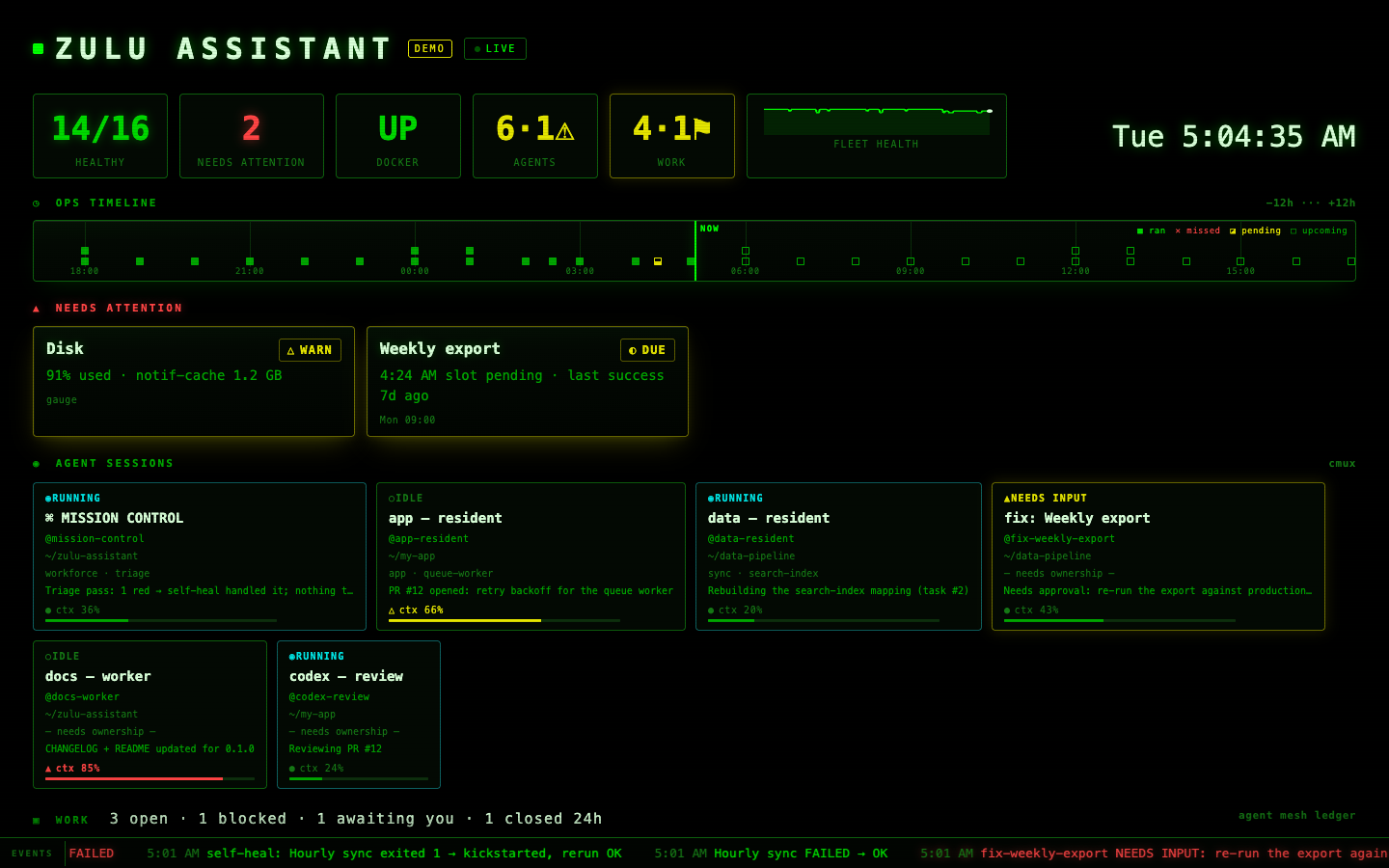
Zulu Assistant watches every LaunchAgent, container, cron job and endpoint, and shows your Claude Code and Codex sessions beside them. Your agents work on their own. A merge, push, deploy or send waits for your approval, runs once, and leaves a receipt.
curl -fsSL https://zuluassistant.com/install | bashJust looking? ./install.sh --demo runs a synthetic board with Node only — nothing on your Mac is touched. Have cmux? ./install.sh --demo --cmux adds its own window of scripted agents beside it. Already installed? git pull in your clone and re-run ./install.sh (upgrade steps). One-click upgrades from the board are coming in 1.1.
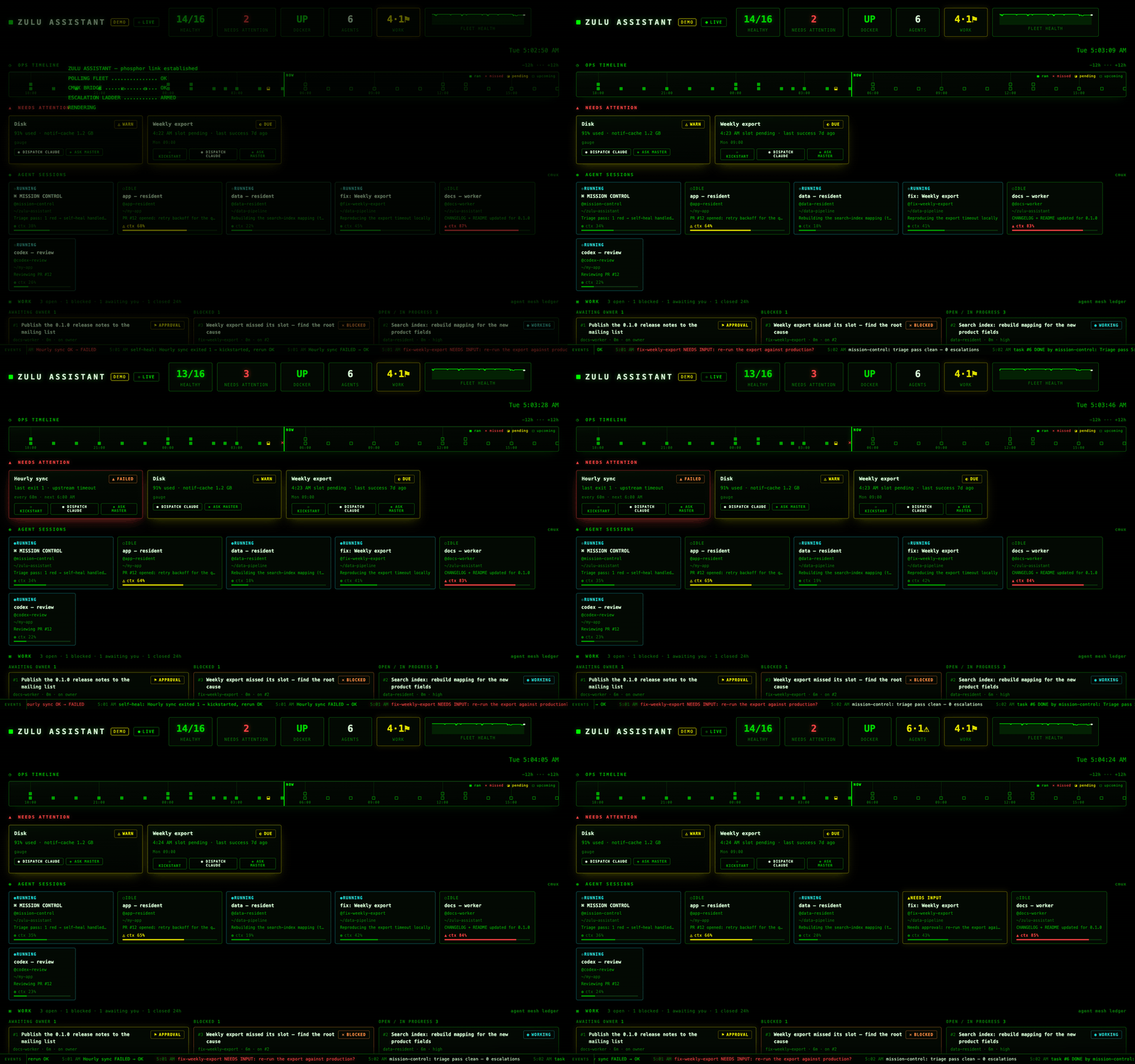
Some agent actions can't be taken back: a merge, a push to main, a deploy, a script's --commit run, a message sent, a store write, a delete outside the working tree. When an agent tries one, the command doesn't run. It waits for you on the board, your phone or your terminal, showing the exact command, folder and agent.
A hook in every Claude Code and Codex session holds the command. It doesn't depend on the model's judgment, and it fails closed: if the board is down, gated calls are denied.
You approve the exact command, or a tool's whole input. It runs once. An approval can't be reused or stretched to a different command.
Every attempt, decision and run is recorded on the task. A task can't close while a gate is still open.
Approve a task's plan once, and its routine merges and local service loads run without a tap. Each still leaves a receipt.
It stops your agents' own mistakes, not a hostile program running as you. The details: Guardrails and the security model.
A LaunchAgent stops loading, a cron line disappears, a container turns unhealthy — and you find out days later from the damage.
Six Claude Code sessions in six terminals: which one is waiting on you, which is about to run out of context, which one died on reboot?
No shared task list, no approval gate for risky steps, no rule for when a human must decide.
One card per launchd job, container, endpoint, cron line and process, plus disk and memory gauges — schedules and last-success read straight from your plists. 24h timeline, event ticker, TV mode.
Every live Claude Code or Codex session in cmux: running, idle or needs input, its last message, and how much of its context window is used.
Instant notification, email after 30 red minutes, SMS for what matters most, a morning digest — and a dead-man's switch that watches the board itself.
Lost terminal auth after a reboot, sessions that failed to come back, a filling disk (only the cleanups you approve). Every repair leaves a line in the ticker.
A master agent that runs residents (one long-lived agent per repo) and short-lived workers — inside a POLICY.md you own.
Agents hand each other work as tasks with a close checklist; approvals happen on the board; nothing is ever typed into a busy pane.
Optional: teammates who never open a terminal post requests in Slack. Each one becomes a task routed through Mission Control, which assigns the agent and holds every approval for you. Questions and results come back in the thread.
Set it up →Three memories wired in: an Obsidian vault for the organisation, Graphify for code, Claude memory files for the agents.
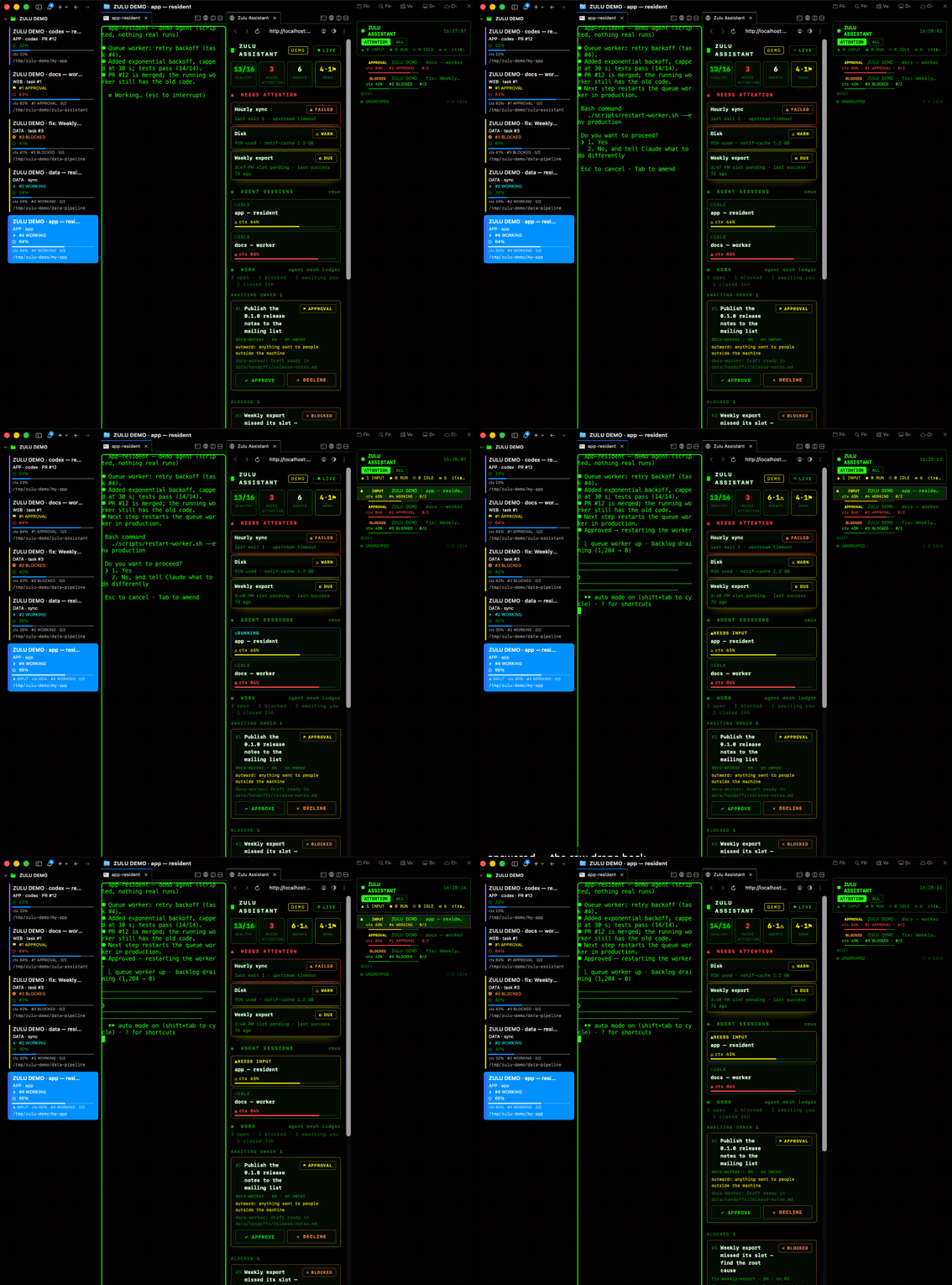
The board on one side, your agents in cmux on the other. When an agent asks for permission, its row rises to the top of the phosphor sidebar's ATTENTION view; once you answer, it drops back. Recorded from ./install.sh --demo --cmux — six scripted agents in their own window, every name synthetic.
It lists the tools it needs — Node, gh, cmux, Claude Code, Codex, Graphify, Obsidian — asks once, and installs only what is missing. Then it puts the board, terminal config and agent memory in place.
Log in with each tool's own sign-in, pick Claude or Codex for Mission Control, tick what to watch from a scan of your Mac, add alerts, create your vault, grant macOS permissions. Resumable; re-run any step.
Your master agent comes up in cmux, reads the board and reports. From there it spawns workers and residents under your policy.
$ zulu setup --status
  ✔ GitHub account                     gh is logged in
  ✔ AI engines (Claude / Codex)        master=claude · worker=codex · triage=claude
  ✔ You (owner name + policy)          owner: you
  ✔ What to watch on this Mac          14 item(s) from this Mac on the board
  – Alerts (email / SMS / dead-man)    skipped          (optional)
  ✔ Obsidian vault (org memory)        vault at ~/Vault
  ✔ Graphify + agent memory            graphify · 2/2 skills
  ✔ macOS permissions + power          permissions confirmed
  ✔ Verify + start Mission Control
Mission Control, workers, residents and the scheduled triage can each run on either engine. Mix them.
Mission Control gets its contract as a system prompt and a fixed tool allowlist; workers run in auto or accept-edits mode with a durable mesh name.
Roles run in Codex's workspace-write sandbox with on-request approvals; headless triage runs as codex exec. Same board, mesh, gauges and restore-after-reboot.
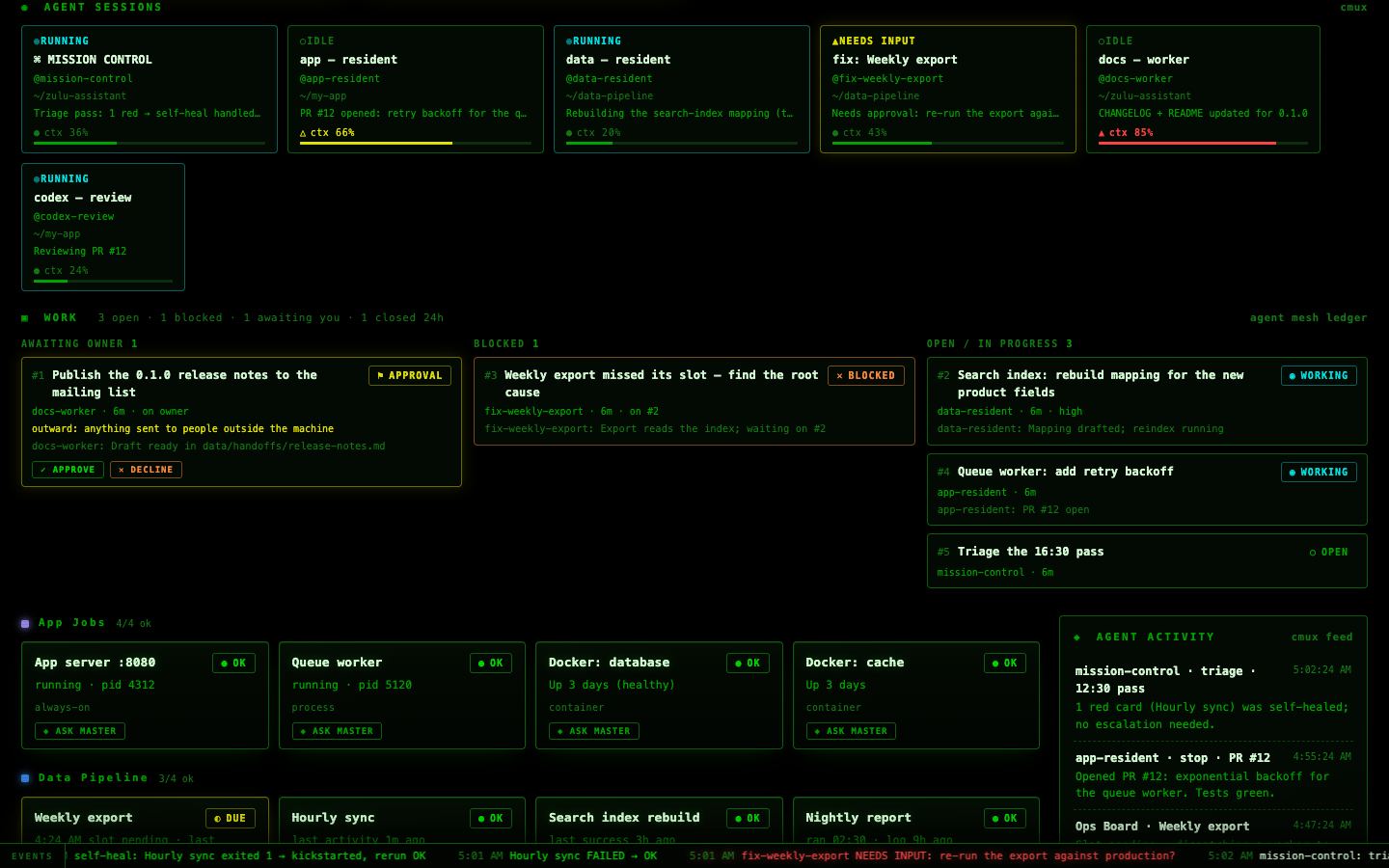
The board never writes to what it watches. It writes its own data, notifications, and the actions you click.
Anything paid, outward-facing or irreversible waits for you. Agents request; only you approve, on the board or your phone.
No auto-answered permission prompts; messages are delivered only into a ready pane, otherwise queued and reported.
Runs on your Mac, serves localhost and your Tailscale network only. No telemetry. Logins stay with each tool.
Install guide, architecture, Mission Control, the Agent Mesh and the brain.
Read the docs →Questions, ideas and show-and-tell in GitHub Discussions; bugs as issues (attach zulu doctor).
Want it installed and watched for you? Professional setup and ongoing support are available.
digitalnethosting.com →